
Skip to content
Meet Dine: your restaurant’s menu, brand and QR experience, all in one place.
DINE / DIGITAL MENU EXPERIENCE

Let your menu change.
Keep your care just the same.

From price updates to the first QR scan. Manage your menu in one place and bring an experience that suits your brand to every table.

  • Start for free
  • No download needed for guests
  • Desktop and mobile management
01 / IngredientsEdit in one place.
02 / IdentityLook like yourself.
03 / SharingReach every table.
DO MORE THAN READ

Make a change. See the difference.

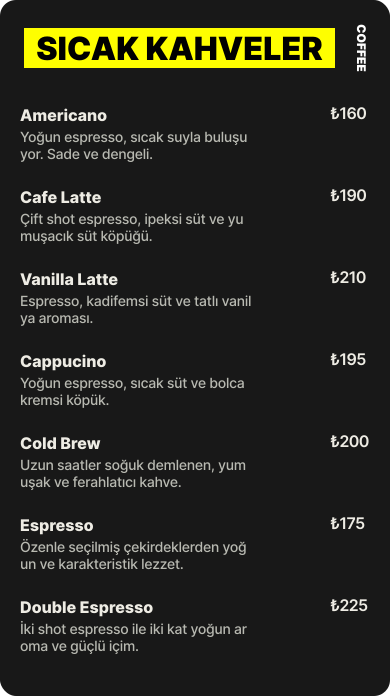
Change the sample product's name or price. Switch designs and see the changes instantly in your guest's menu.

Interactive product demo
Sample data · No account needed
02 · Prepare your content

Your menu, in your hands.

Manage products, categories and prices in one place. Change the sample product name or price and see it instantly in the menu on the right.

₺

These changes appear only in this demo; they are not saved or published.

Your guest's screen
Live preview · Editorial
A FLOW THAT LIGHTENS DAILY WORK

A price change
shouldn't take your whole day.

Add a product, correct a description, reorder categories. Dine brings your daily menu changes into a single workspace.

01 Edit→02 Preview→03 Publish
Prepare your draft first. You decide when your guests see it.
EVERY DETAIL IS PART OF THE SAME EXPERIENCE

Looks good. Makes work easier.

Make your menu more than a list. Let it carry your identity, be easy to share and fit your daily workflow.

01 / APPEARANCE & IDENTITY

Your kitchen.
Your character.

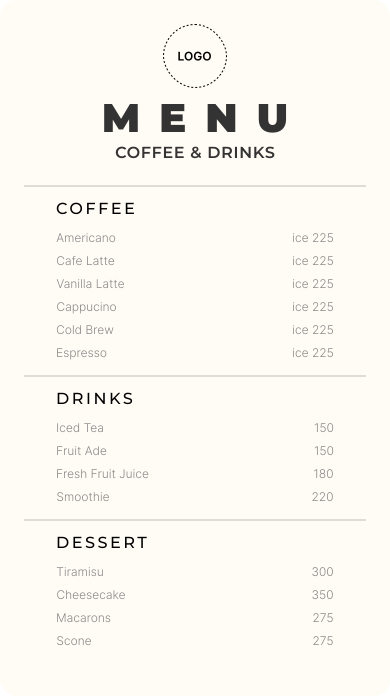
A logo, a cover and a design that suits you. Let your menu carry the same care your guests feel when they walk through the door.

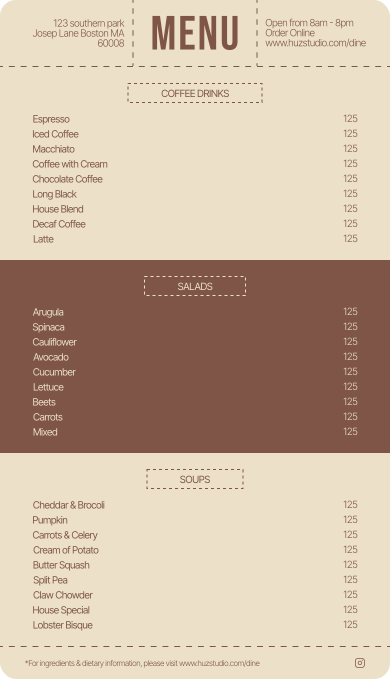
Explore 6 free designs The design changes. Your content stays with you.
02 / PERMANENT QR

Your menu evolves.
Its place stays the same.

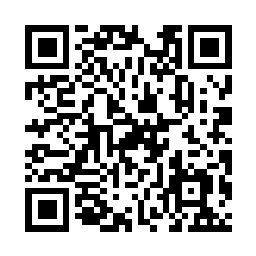
Change prices and add new flavors. Keep the same QR link on your table, without reprinting.

dine®Let's start with
a lovely choice.
Sample QR linking to the Dine home pageEXPLORE THE MENU ↗
New menu. Same QR.
PNG / SVG / PDFThe sample QR opens the Dine home page.
03 / MULTIPLE LANGUAGES PRO

Same care.
Different languages.

Let guests explore your menu in their language. Choose languages and write your menu and product translations in your own words.

Missing translations appear in the default language or with the existing text.
04 / SCHEDULING PRO

The day's rhythm changes.
Your menu keeps up.

Publication times, product promotions and special closure dates. A time for everything, all in one place.

THE NEXT STEP / DINE PRO

As your business grows,
give your menu more room.

Start with the free plan. Explore Pro options when you need more content, your own domain or multiple languages.

Paid plan prices have not been announced yet.
01

Your own address.

Your own domain for your restaurant.

02

More content.

50 menus, 100 categories per menu.

03

Less repetition.

Excel / CSV import.

04

A more personal experience.

Premium templates and multilingual menus.

YOUR QUESTIONS, ANSWERED

Before you start.

Let's make the small details clear too.

Can I publish a real menu with the free plan?

Yes. The free plan lets you create 1 menu, 6 categories and 10 products per category, choose a free design and share it with your permanent QR code.

Does Dine take orders or payments?

The product shown here focuses on creating, publishing and sharing digital menus with QR codes. This page does not promise table ordering, POS or payment collection.

Will changing templates affect my products?

Templates use your existing content. You do not need to re-enter products. Preview the new design, check its settings and publish when ready.

Which features require Pro?

Premium templates, multilingual menus, custom domains, menu scheduling, promotions, opening hours and imports are included in Pro. Current limits appear on the Plans and pricing page.

Visit the help center for other questions
FOR YOUR NEXT TABLE

Bring your menu online.
Keep your hospitality the same.

Start with the free plan. Prepare your menu at your own pace.

Create my first menu